Every student gets a personal language coach — inside the classroom you already use.
AI feedback on every sound a student makes, with grades flowing automatically into your gradebook. No apps. No logins. No student data used to train AI.
Students open Primo from an assignment in their own online classroom. No account, no class code.
2
Speak
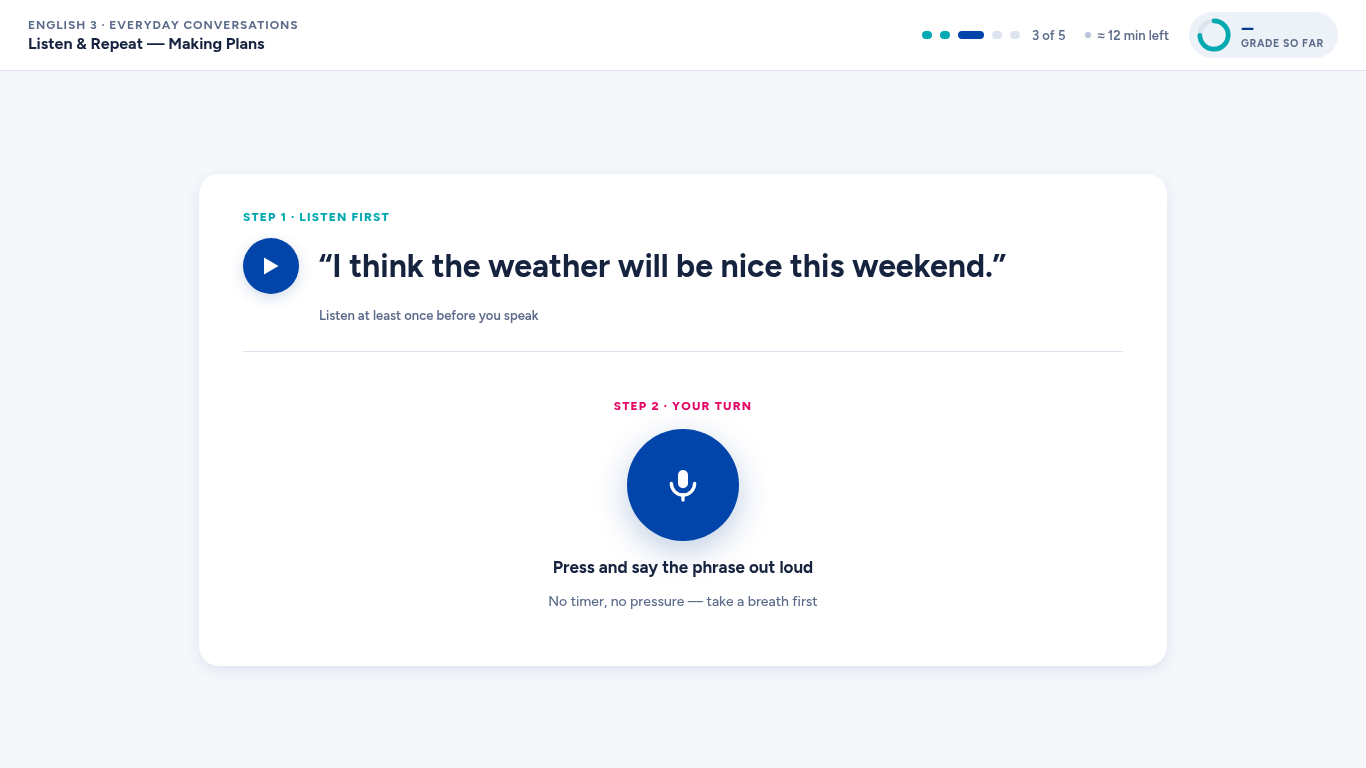
They listen first, then talk: repeat, answer, converse with an AI character on the module's theme.
3
Learn
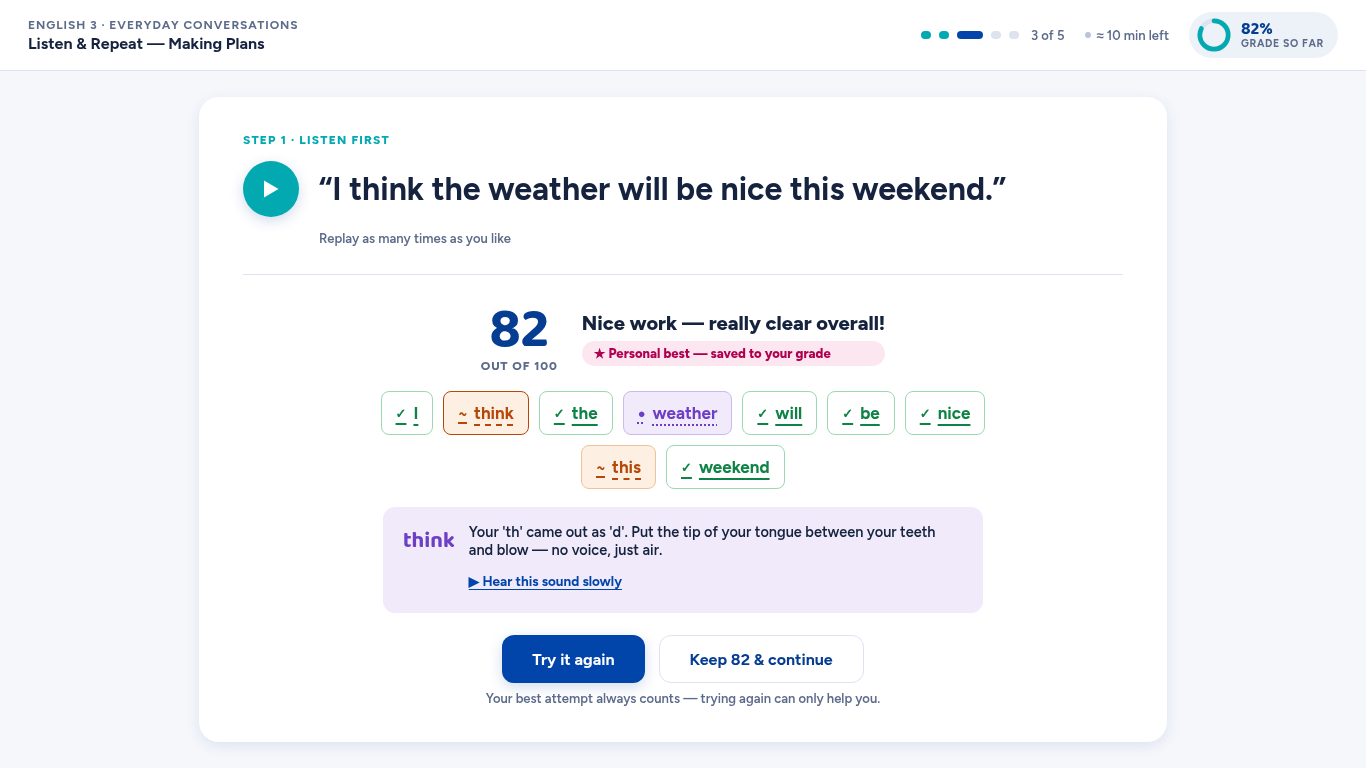
Feedback names the word and the sound — "your 'th' came out as 'd'" — with exactly how to fix it.
4
Done
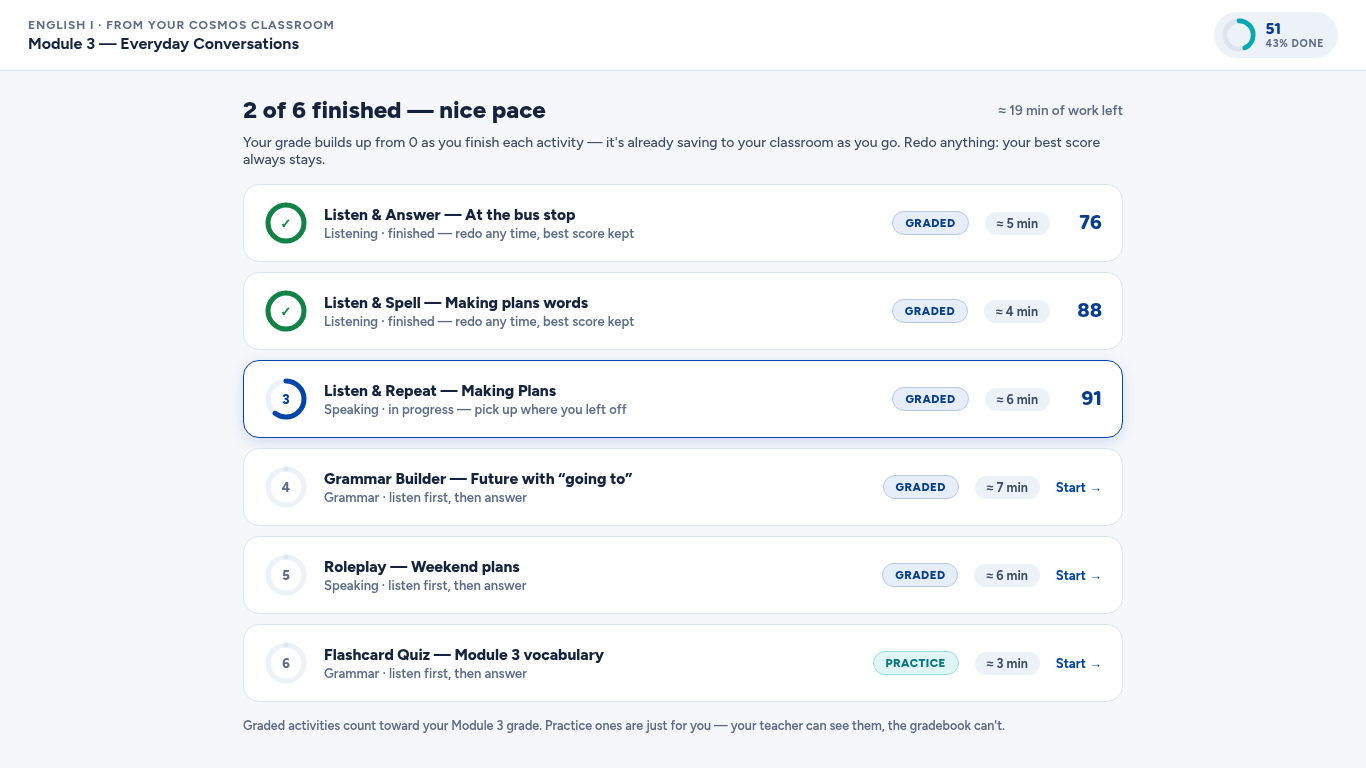
The grade is already in the gradebook. Best attempt kept, always.
Features & benefits
1 · A coach that hears every sound
A coach that hears every sound
AI speech analysis scores pronunciation, fluency, stress, and rhythm at the individual-sound level — with tap-a-word feedback and concrete tips like "place your tongue between your teeth for 'th'."
For students: feedback they can act on in the next attempt, not a score out of ten.
For teachers: exactly which sounds each student is fighting, ready-made for targeted support.
2 · Zero friction, right inside class
Zero friction, right inside class
Primo opens from the online classroom students already use — already knowing who they are. No logins, no class codes, no installs, no separate app.
For students: one click and they're speaking.
For administrators: nothing new to deploy, no accounts to manage, adoption on day one.
3 · Activities built from your curriculum
Activities built from your curriculum
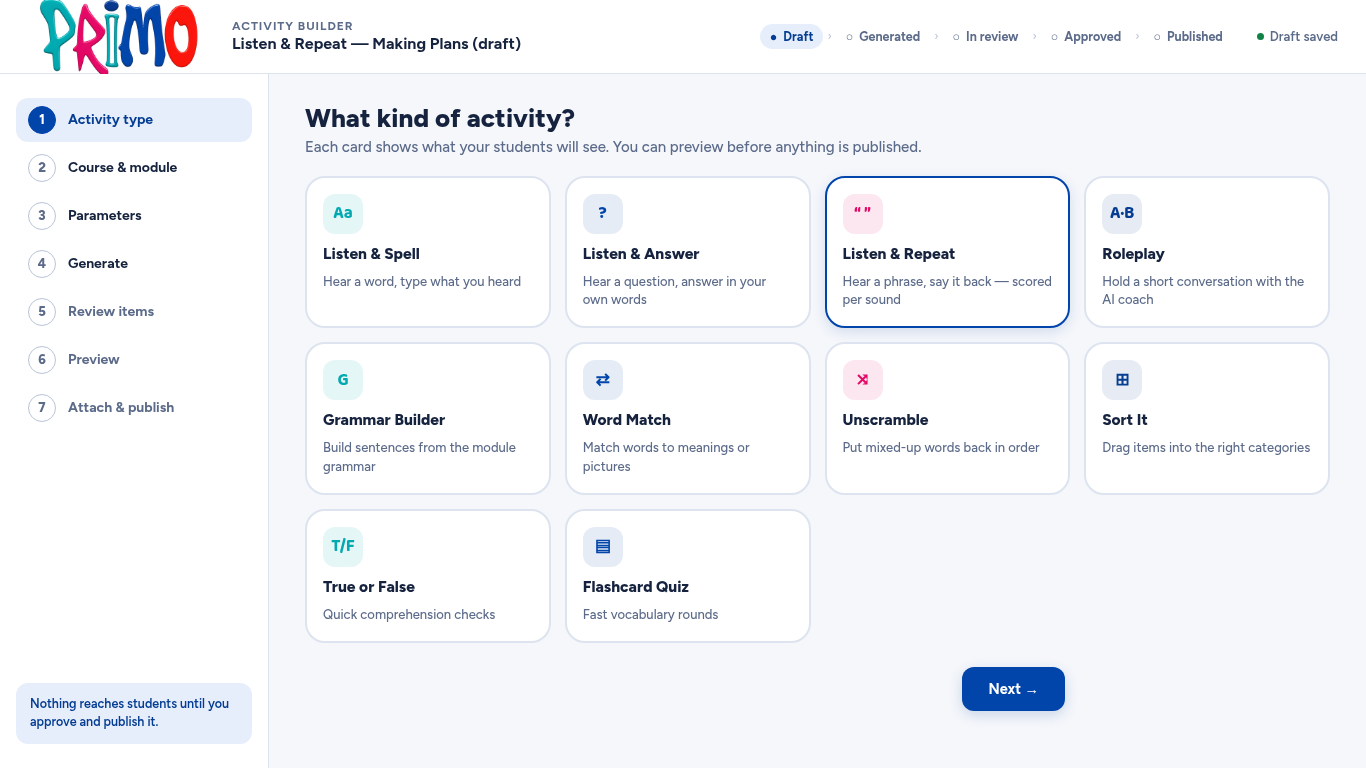
The built-in Activity Builder generates standards-aligned speaking, listening, and grammar activities from your own modules — staff preview as a student and approve before anything goes live. Ten activity types, your standards, your themes.
For teachers: AI drafts, educators decide.
For administrators: curriculum fidelity without content-authoring headcount.
4 · Grading that motivates
Grading that motivates
Grades build up from zero as work is completed, the best attempt is always kept, and every score flows into the gradebook automatically. Students earn levels and level-up moments — never labels.
For students: retrying is never a risk.
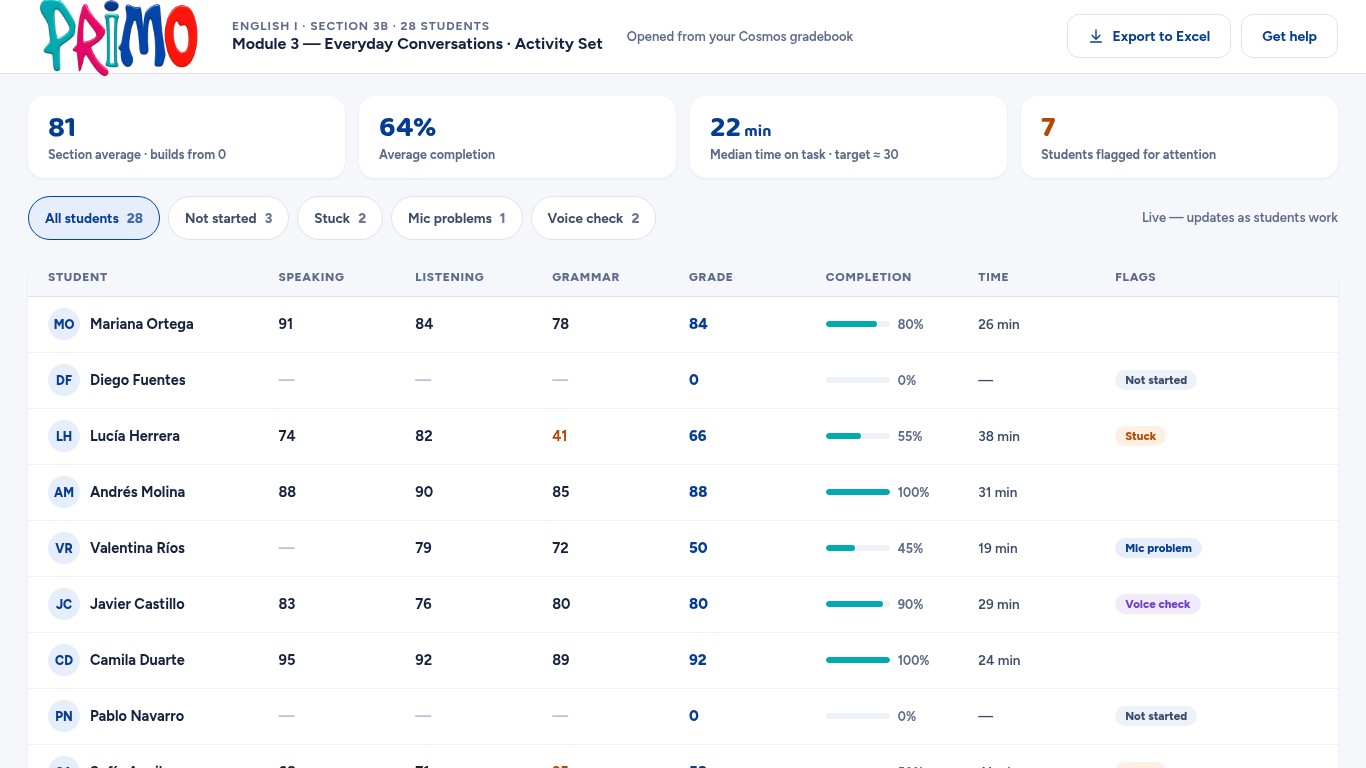
For teachers: grades are simply there — no export, no transfer, ever.
5 · Trust a school can certify
Trust a school can certify
Consent-based voice verification confirms the right student is speaking. Teachers can hear every recording and override any score. FERPA, COPPA, and GDPR posture — and student data is never used to train AI models.
For administrators: a diploma-bearing grade you can defend.
For families: plain-language consent, real oversight, no surprises.
Replacing your current English program?
Primo was built to take over from legacy English platforms without disruption: your curriculum becomes the activities, your teachers keep their gradebook, and your students never learn a new login. Ask us what switching actually takes — the honest answer is shorter than you think.
Built for the network behind the world's largest dual-diploma program — 50,000+ students in 36+ countries.
Tap-a-word feedback names the word and the sound — with exactly how to fix it.
Sound-level coaching
The grade is already in the gradebook. Best attempt kept, always.
Automatic grade passback
Speaking homework you can finally assign — without grading nights.
Built for teachers
For teachers
Your gradebook fills itself. Click into any score to hear the actual recording, see which sounds a student is fighting, and override anything your judgment disagrees with — logged, and posted back automatically. Speaking homework you can finally assign without grading nights.
For administrators
One dashboard for adoption, completion, and pace across every section. Activities your own staff generate and approve from your curriculum. Grades you can defend to a diploma board, and a privacy posture you can hand to any parent. Nothing to install, nobody new to hire.
FAQ
What does Primo listen for?
Pronunciation, fluency, stress, and rhythm — scored at the individual-sound level, more than forty measurements per recording, turned into feedback a student can act on immediately.
Do students need accounts?
No. Students open Primo from an assignment in their own online classroom; Primo already knows who they are. No logins, no class codes, no app.
Which classroom platforms does Primo work with?
Primo embeds via LTI 1.3 — the open standard supported by every major LMS — with automatic grade passback. If your classroom platform supports LTI 1.3, Primo works in it.
How do teachers stay in control?
Every activity is approved by school staff before students see it. Teachers can play back any recording, and can override any score — overrides are logged and flow to the gradebook automatically.
How does Primo prevent someone else doing a student's speaking work?
Optional, consent-based voice verification confirms the right student is speaking. Students who decline participate fully — their work is simply marked unverified for the teacher.
What happens to student recordings?
They're retained only as long as your school's policy requires, are never used to train AI models, and teachers and families can ask us anything about them — plainly answered on our student privacy page.
How does pricing work?
Per-program licensing, scoped to your enrollment. Request a demo and we'll give you a real number in the first conversation — no forms-then-silence.
How do we get started?
Request a demo below. You'll hear from a human within one school day, see Primo live in your own curriculum's terms, and get an honest implementation timeline.
Request a demo
See Primo in your own classroom.
Tell us where you teach and we will get in touch to set up a walkthrough for your team.